 Chat Organizer
Put your AI chats in folders.
Chat Organizer adds folders, tags, search and one-click Markdown export to the chat sidebar of chatgpt.com, claude.ai and gemini.google.com. No account, no server: everything is saved in your browser.
Get it for Microsoft EdgePrivacy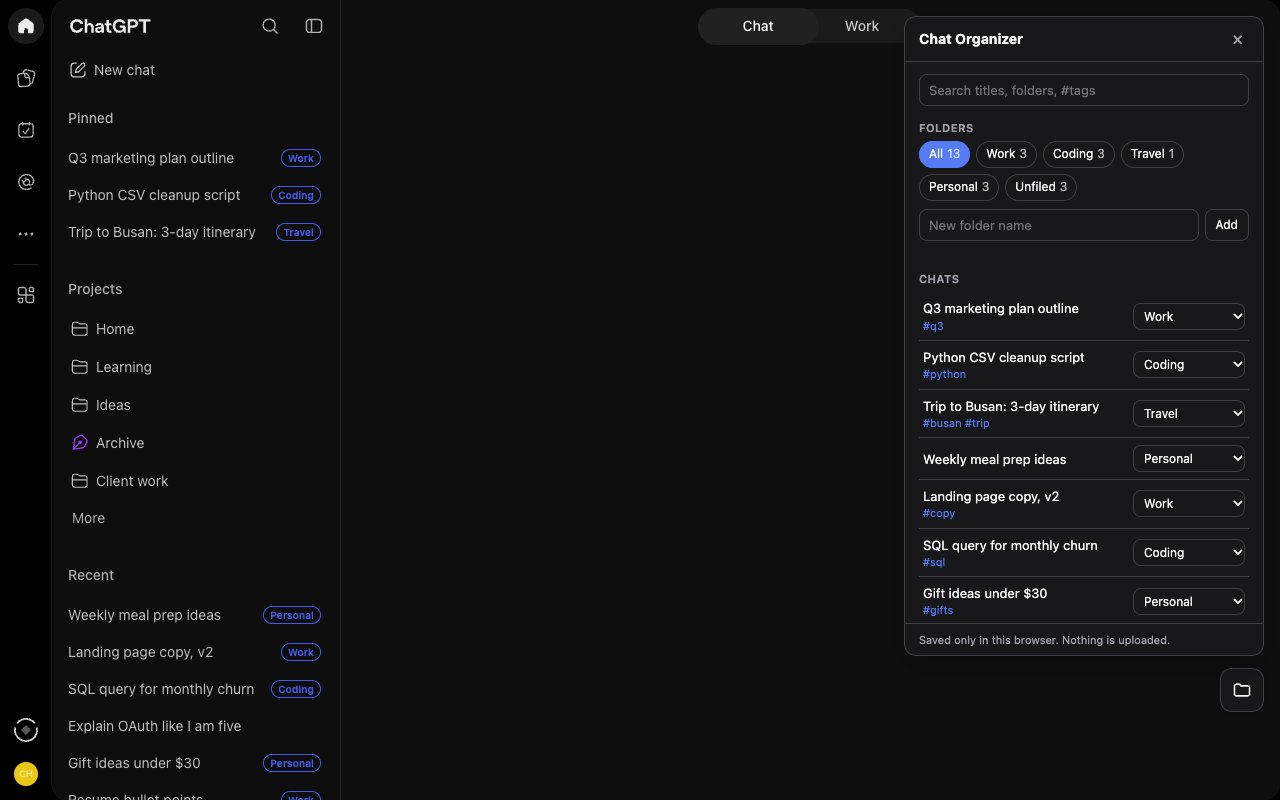
Screenshot uses sample chat titles.
What it does
Create up to 50 folders and file any chat. A small label shows the folder next to the chat in the sidebar.
Add tags like #work or #python to a chat and find it again later.
Search chat titles, folder names and tags, including chats that are no longer visible in the sidebar.
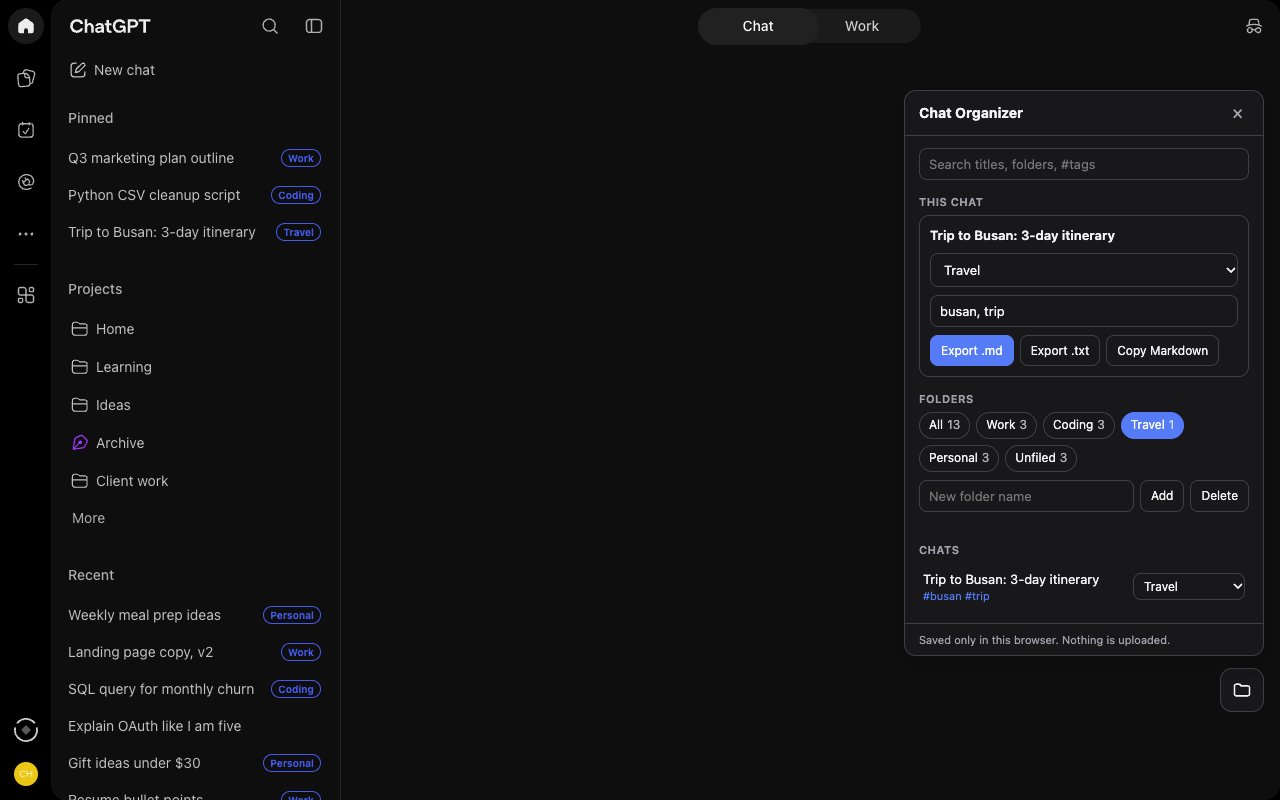
Save the open chat as Markdown or plain text, or copy it as Markdown.
Download all folders and tags as a JSON file and restore them on another browser.
Only the storage permission. Nothing is sent anywhere, there is no analytics.
How to use
Open one of the supported sites and click the folder button at the bottom right, or press Alt+Shift+O. Pick a folder for the current chat, add tags, or export it.
Export saves the messages that are loaded on the page. In very long chats, scroll up first so older messages load.